
Download Microsoft Power Point Viewer – Free PPT Viewer, Lightweight Presentation Tool, Secure Mobile App
Overview
Microsoft Power Point Viewer is a specialized utility designed to allow users to view PowerPoint presentations without requiring a full installation of Microsoft Office. This lightweight application addresses a common challenge faced by individuals who frequently encounter PPT files but do not have access to the full suite of productivity tools. The app serves as a reliable solution for students, professionals, and educators who need to review or present content on the go, especially in environments where installing heavy software is impractical or restricted.
Target users include anyone who regularly receives or shares presentation files but does not need to edit them. This includes team members in corporate settings, teachers preparing classroom materials, and remote workers collaborating across platforms. The app’s primary function is to ensure seamless access to visual content, preserving formatting, animations, and transitions as intended by the creator.
Although the developer did not provide additional technical details about the application’s background, its release date is documented as March 22, 2007. This long-standing presence in the software ecosystem highlights its continued relevance as a simple yet effective tool for viewing PPT files. In the broader context of digital productivity, Microsoft Power Point Viewer fills a niche by offering a secure, no-cost alternative to full office suites, making it a valuable asset for users seeking minimalism and efficiency.
Key Features & Functionality
- Free Access to PPT Files: Users can open and view PowerPoint presentations without any licensing cost, eliminating the need for a Microsoft Office subscription or purchase.
- Lightweight Installation: At just 23 MB, the app installs quickly and consumes minimal system resources, making it ideal for older or low-storage devices.
- Full Windows Compatibility: The viewer is compatible with all versions of Windows, ensuring broad accessibility across both legacy and modern systems.
- Intuitive Interface: Designed for ease of use, the app features a clean layout that allows users to navigate slides with simple clicks or keyboard shortcuts.
- Preserved Visual Fidelity: Presentations retain their original formatting, animations, and transitions, ensuring accurate content delivery during reviews or presentations.
For example, a student receiving a lecture presentation from a professor can open it instantly without needing to install a full office suite. Similarly, a business professional traveling with a laptop can review a client’s pitch deck during a meeting, even if the device lacks Microsoft Office. The app’s focus on viewing rather than editing makes it perfect for passive consumption of content, reducing complexity while maintaining functionality.
Interface, UX & Performance
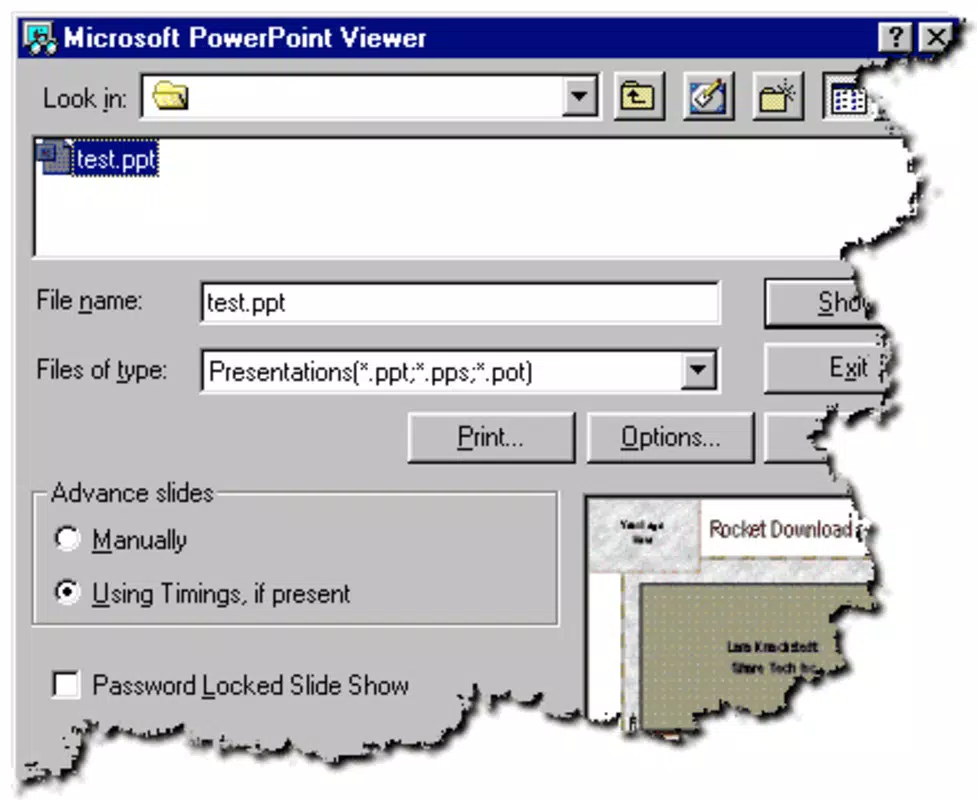
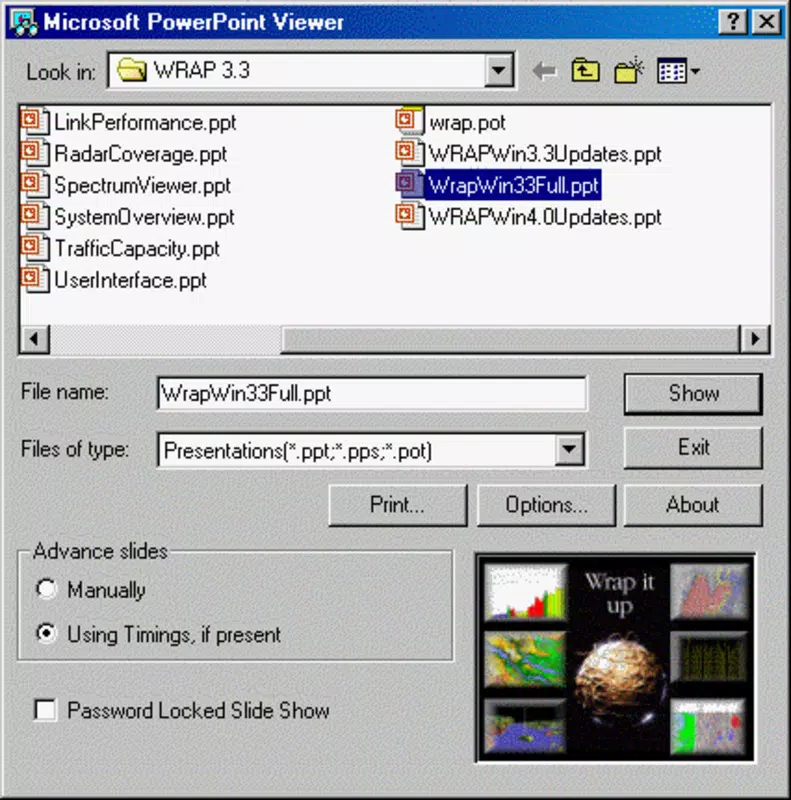
The user interface of Microsoft Power Point Viewer is minimalistic and purpose-driven, prioritizing clarity and efficiency. Navigation between slides is straightforward, with options to advance manually or use automatic playback. The layout avoids clutter, focusing solely on the presentation window, which enhances focus and reduces distractions.
Although the developer did not list formal performance metrics, the app’s lightweight nature suggests it runs smoothly on a wide range of devices, including those with limited processing power or memory. Users can expect responsive behavior when switching between slides, with minimal lag or delays. Stability is likely maintained due to its narrow scope—being a viewer rather than an editor—reducing the risk of crashes or unexpected behavior.
Compatibility with various screen sizes and resolutions ensures that presentations are displayed correctly, regardless of the device used. The app adapts well to different display settings, preserving aspect ratios and layout integrity. While specific details on touch support or gesture controls were not provided, the application remains accessible through standard input methods such as mouse and keyboard.
Platform Compatibility & Technical Requirements
Microsoft Power Point Viewer is designed exclusively for the Windows platform, with compatibility confirmed across all versions of the operating system. The application has a file size of 23 MB, making it quick to download and install even on slower internet connections.
Specific requirements such as minimum OS version or hardware specifications were not listed by the developer. However, its long-standing support for all Windows versions suggests it is optimized for broad accessibility. The app does not appear to require additional software or runtime environments, simplifying deployment across different systems.
Although the developer did not specify minimum OS requirements, users can reasonably expect it to function on both older and newer Windows installations, provided the system meets basic operational standards. The absence of detailed technical information means users should exercise caution when deploying on highly restricted or enterprise-managed environments.
Pros and Cons
Pros
- Free to download and use with no hidden costs
- Extremely lightweight at only 23 MB in size
- Compatible with all Windows operating systems
- Preserves original formatting and animations in presentations
- Simple, intuitive interface suitable for all skill levels
Cons
- Only supports viewing; no editing or creation capabilities
- Not available for mobile platforms such as Android or iOS
- Development appears to have been discontinued, with no recent updates
- Limited to Windows, reducing cross-platform accessibility
- Does not support newer file formats beyond standard PPT
FAQ
Is Microsoft Power Point Viewer safe to download?
Yes, the app is a legitimate tool from Microsoft and is considered secure when downloaded from official sources. Always verify the source to ensure authenticity.
Can I edit PowerPoint files using this viewer?
No, Microsoft Power Point Viewer is designed solely for viewing presentations. It does not allow editing, saving, or creating new files.
Is the app available for Android or iOS?
No, the application is only available for Windows and is not supported on mobile operating systems.
Do I need an internet connection to use it?
No, once installed, the app functions offline. No active internet connection is required to view presentations.
How often is the app updated?
The developer has not released any updates since its initial release in 2007. It is considered a legacy tool with no current maintenance or support.
Final Thoughts + CTA
Microsoft Power Point Viewer remains a reliable, no-frills solution for users who need to access PowerPoint files without the overhead of a full office suite. Its compact size, ease of use, and broad compatibility make it a practical tool for occasional viewers, students, and professionals in need of quick access to visual content. While it lacks modern features and is no longer actively developed, its core functionality continues to serve its intended purpose effectively.
For anyone who frequently receives PPT files but doesn’t require editing, this app offers a secure, free, and efficient alternative. Its minimal footprint and straightforward design ensure it remains a viable option even on older systems.
Download Microsoft Power Point Viewer now


